in this guide
The screenshots in this guide are from a computer. The page layout will look different if you’re using a mobile device.
Step 1: get started
Sign in to myGov or the myGov app and select Child Support.
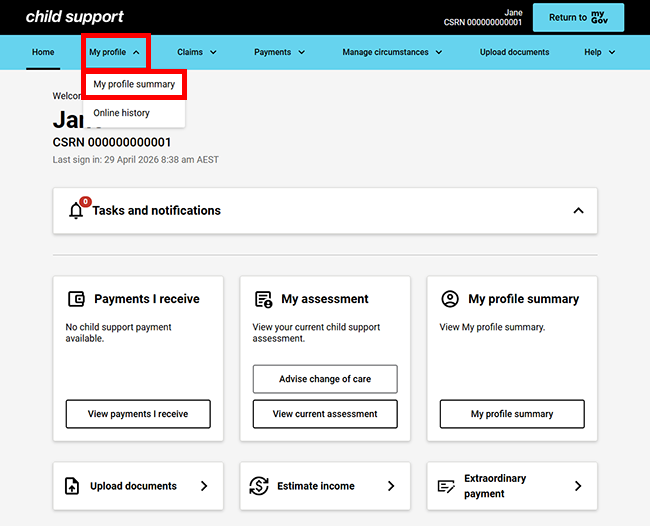
From the menu, select My profile then My profile summary.
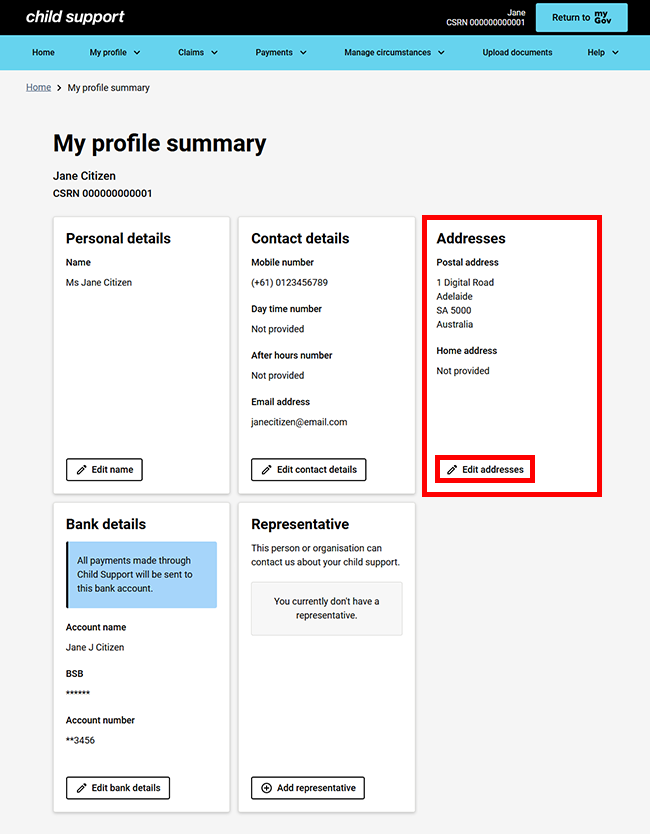
The My profile summary page shows your current addresses. Select Edit addresses.
Step 2: edit addresses
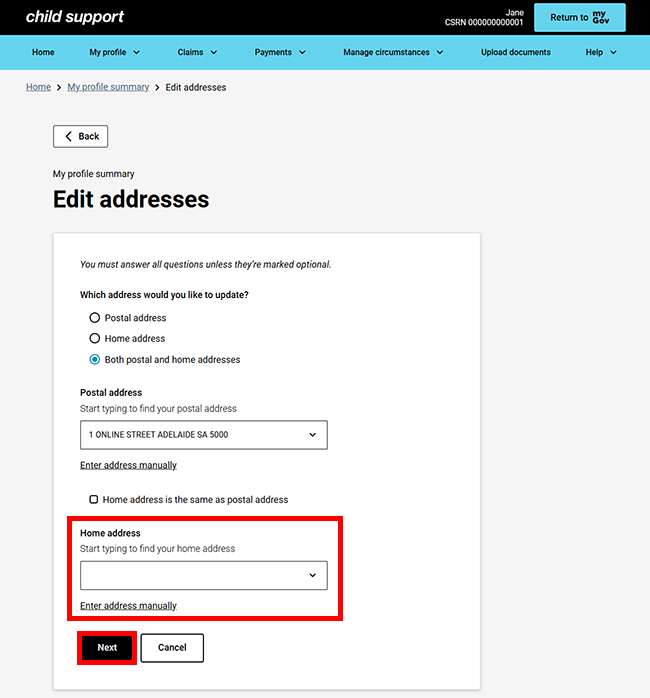
On the Edit addresses page, we’ll ask which address you would like to update. Select an option from the following:
- Postal address
- Home address
- Both postal and home addresses.
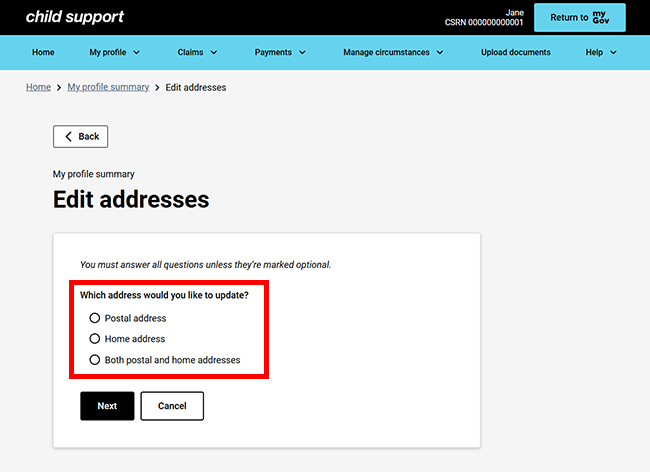
In this example, we selected Both postal and home addresses.
Start typing to find your address, then select it. If your address does not appear, select Enter address manually to add it manually.
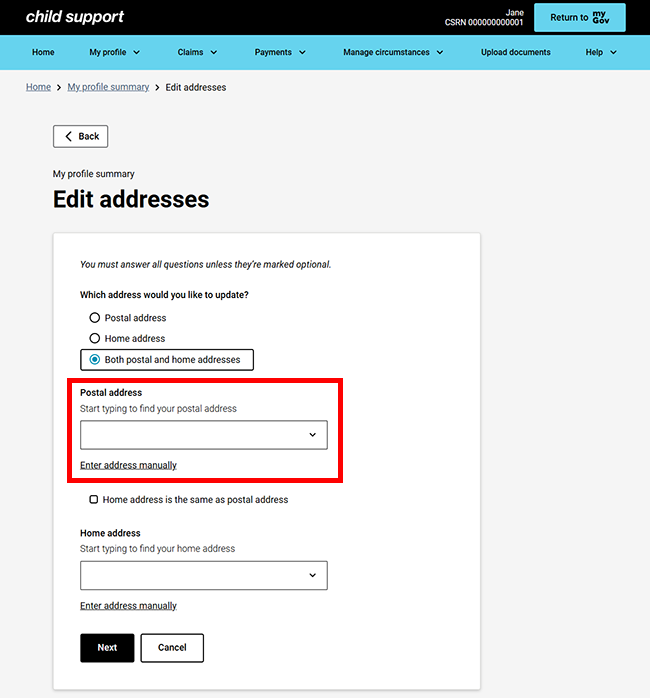
If your home address is different to your postal address, repeat the previous steps, then select Next.
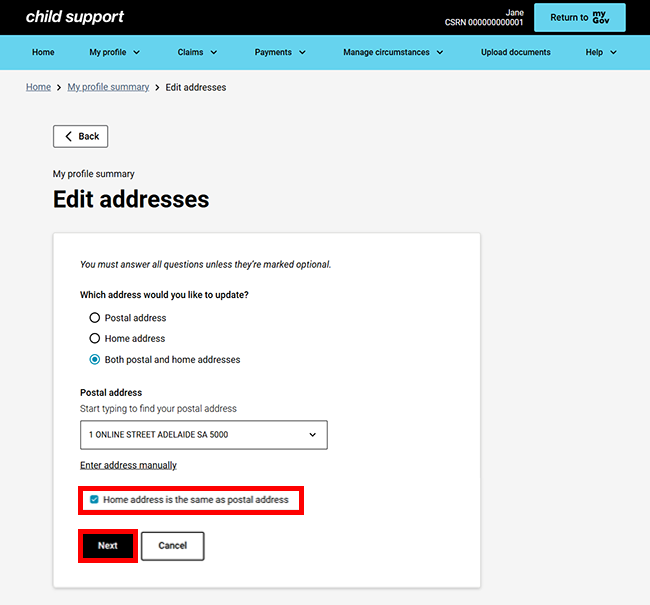
If your home address is the same as your postal address, select Home address is the same as postal address checkbox, then select Next.
Step 3: review and submit
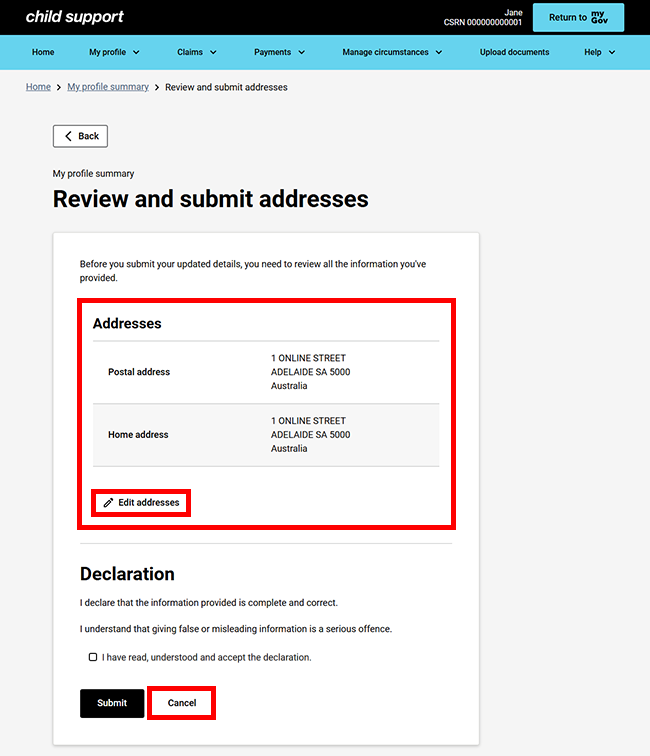
We’ll give you a summary of the details you’ve provided.
Check the address details to make sure they’re correct.
Select either:
- Edit address if you need to make any changes
- Cancel if you don’t want to continue.
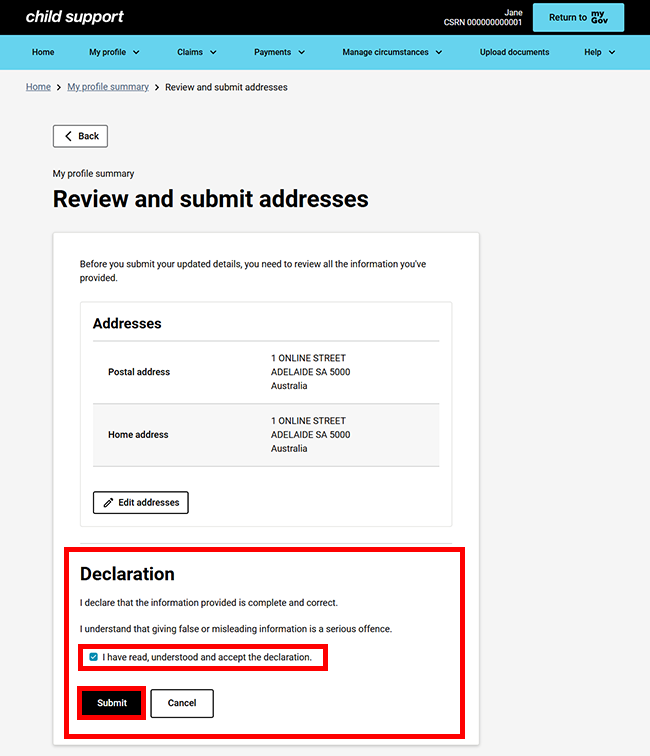
If all the details are correct, read the declaration. If you understand and agree with the declaration, select I have read, understood and accept the declaration. Then select Submit.
Step 4: receipt
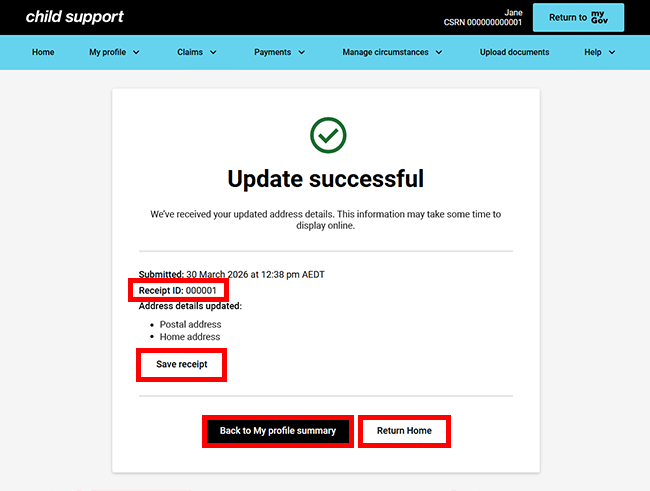
We’ll give you a receipt when you submit your update. Make note of the receipt ID for your records.
The information you’ve updated may not appear in your online account straight away.
Select any of the following:
- Save receipt to keep a PDF copy of your receipt
- Back to My profile summary to view and edit other details
- Return Home to go back to your online account homepage.
Step 5: sign out
From your homepage you can complete other transactions or select Return to myGov to go back to your myGov account.
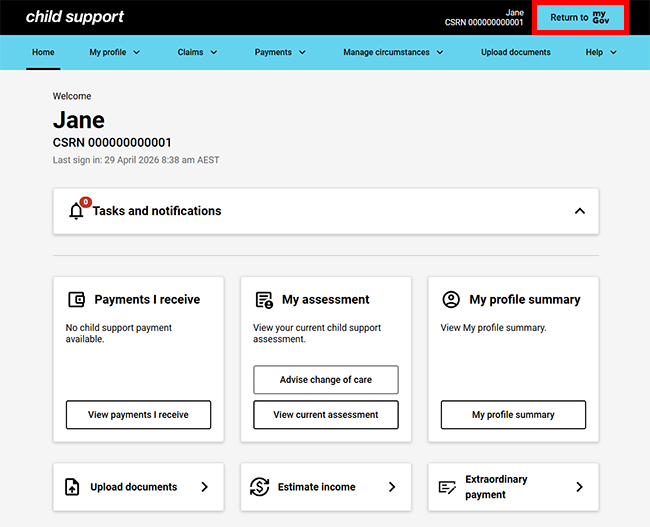
For your privacy and security, sign out when you have finished using your myGov account.
View other online account guides about using your online account.