To start you’ll need a myGov account. If you don’t have one, you can go to the myGov website to create one.
If you’re not an existing Child Support customer, you won’t be able to link to your myGov account. You can go to the Services Australia website to find out more about applying for a Child support assessment.
To link your Child Support online account to your myGov account, you’ll need your linking code and your Child Support Reference Number (CSRN).
A linking code is a single use code we give you to link Child Support to your myGov account. You can get a linking code by calling Child Support.
Make sure you have this information ready before you begin.
The screenshots in this guide are from a computer. The page layout will look different if you’re using a mobile device.
Step 1: sign in to myGov
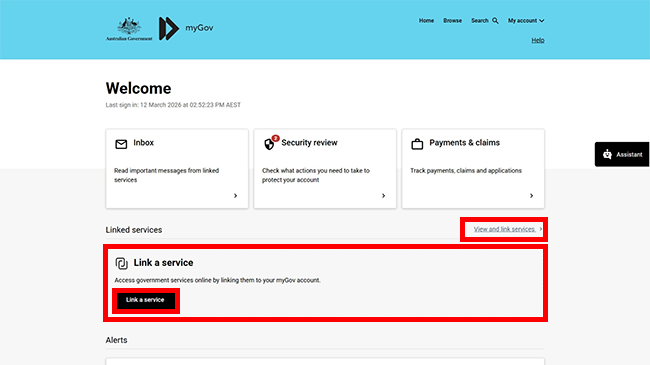
Go to myGov and sign in.
Select either:
- Link a service
- View and link services.
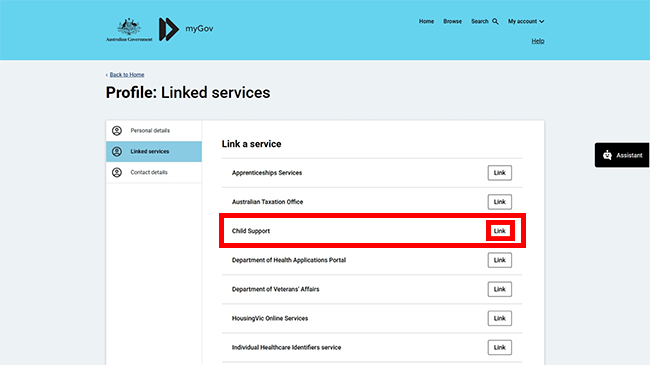
From the list, select Link for the service you want to link.
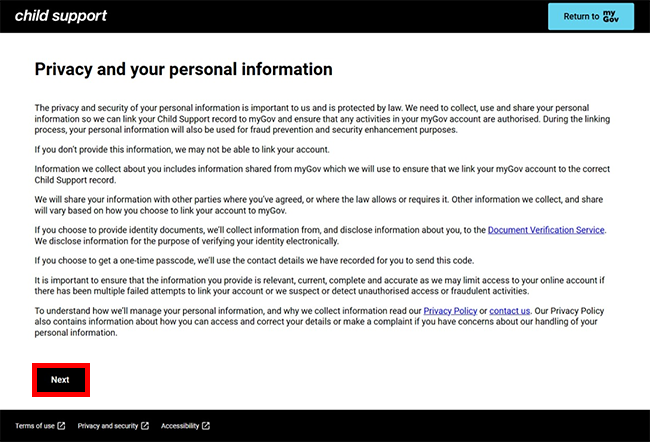
Read the privacy and personal information message, then select Next.
Step 2: get started
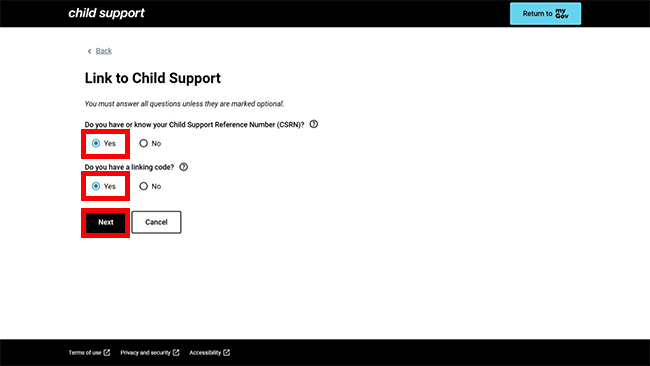
We’ll ask you if you know your Child Support Reference Number (CSRN) and if you have a linking code.
Select Yes to Do you have or know your Child Support Reference Number (CSRN)?.
Select Yes to Do you have a linking code?, then select Next to continue.
Step 3: enter your linking code
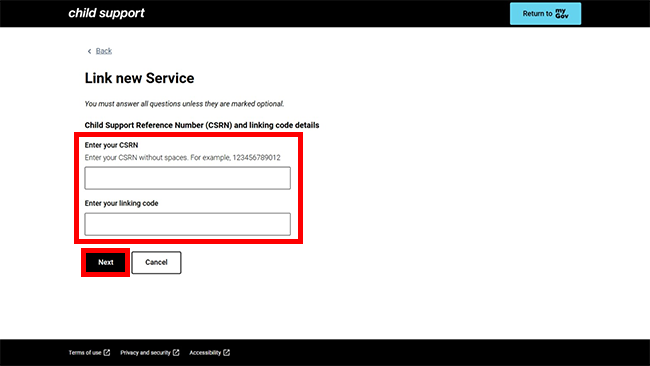
Enter your CSRN and your linking code. Then select Next.
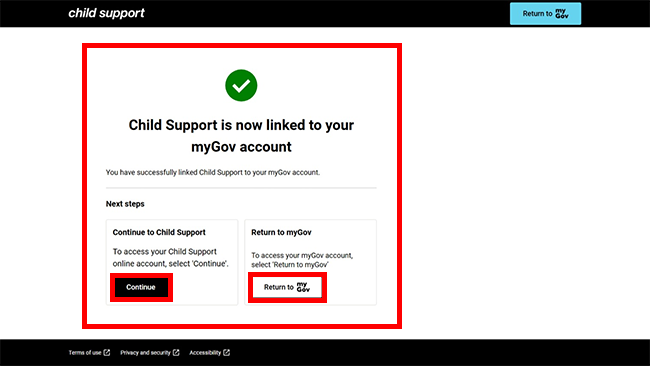
You’ve now linked Child Support to your myGov account.
You can select either of the following options:
- Continue to go to your Child Support online account
- Return to myGov to go to your myGov account.
For your privacy and security, select My account, then Sign out when you’ve finished using your myGov account.
View other online account and mobile app guides and video demonstrations about using your online account.