To start you’ll need a myGov account. If you don’t have one, you can go to the myGov website to create one.
To link Centrelink to your myGov account, your name recorded with myGov must match your name with Centrelink.
If your name doesn’t match or isn’t up to date, you’ll need to update it. You can do this by contacting Centrelink on your regular payment line.
To link your Centrelink online account to your myGov account, you’ll need your linking code and your Customer Reference Number (CRN).
A linking code is a single use code we give you to link Centrelink to your myGov account. You can get a linking code over the phone or at a service centre.
You’ll find your CRN on letters we’ve sent you or on your concession card, if you have one.
Make sure you have this information ready before you begin.
The screenshots in this guide are from a computer. The page layout will look different if you’re using a mobile device.
Step 1: sign in to myGov
Go to myGov and sign in.
Select either:
- Link a service
- View and link services.

From the list, select Link for the service you want to link.
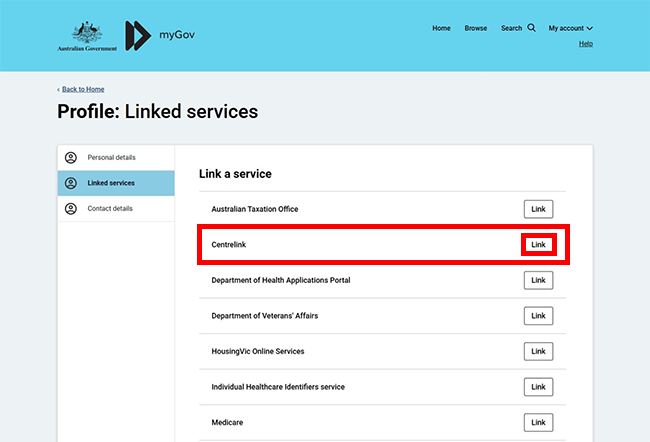
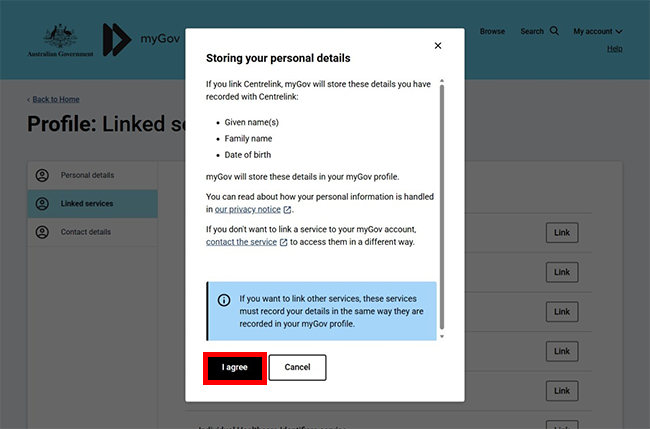
If you haven’t linked Medicare or Digital ID to your myGov account, we’ll ask you to agree to myGov storing your personal details.
If you agree to myGov storing your Given names, Family name and Date of birth in your myGov profile, select I agree.
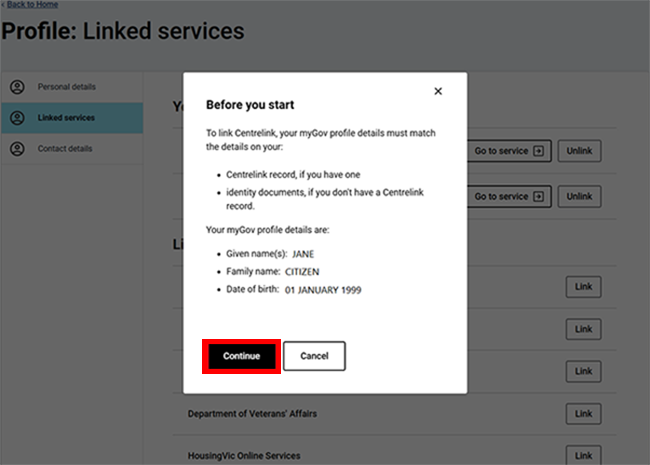
If you’ve already linked Medicare or your Digital ID to your myGov account, we’ll show your myGov profile details. To link Centrelink, these details must match the details on your Centrelink record.
Select Continue to proceed.
Step 2: get started
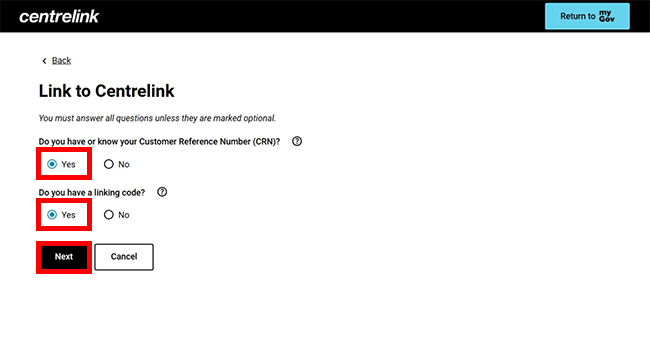
We’ll ask you if you know your Centrelink CRN and if you have a linking code.
Select Yes to Do you have or know your CRN?.
Select Yes to Do you have a linking code?, then select Next to continue.
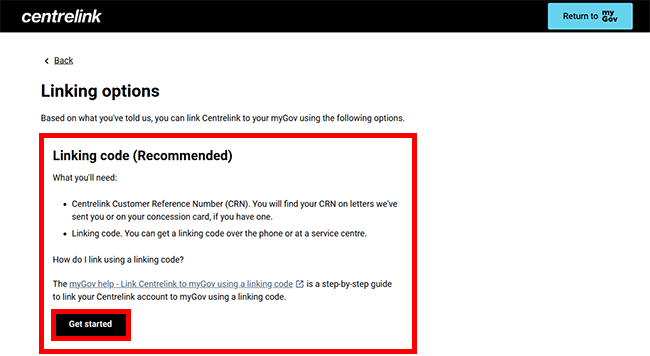
Select Get Started in the Linking Code (Recommended) box.
Step 3: enter your linking code
Enter your CRN and your linking code. Then select Next.

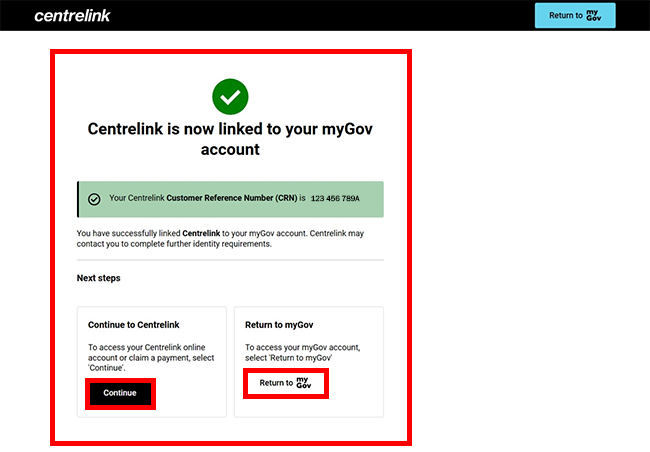
When you’ve entered the correct details, your Centrelink service will be linked to your myGov account.
You can select either:
- Continue to go to your Centrelink online account
- Return to myGov to go to your myGov account.
For your privacy and security, select My account, then Sign out when you’ve finished using your myGov account.
View other online account and Express Plus mobile app guides and video demonstrations about using your online account.