in this guide
Employment income affects your payment from us. To make sure we’re paying you the right amount, we need you to report your and your partner’s gross employment income, even if it’s zero.
To make sure you get paid on time, you must submit your report by 5 pm local time on your reporting date. Read more about employment income reporting.
There may be other tasks or activities you need to do to keep getting your payment. This depends on the payment you get. Read more about mutual obligation requirements.
The screenshots in this guide are from an Android device. Some screens may look different if you’re using an Apple iOS device.
If you or your partner did earn employment income, there’s a different way to report this to us. For help, follow our guide Express Plus Centrelink mobile app help - Report employment income.
Step 1: get started
Select the Report task from your home screen.
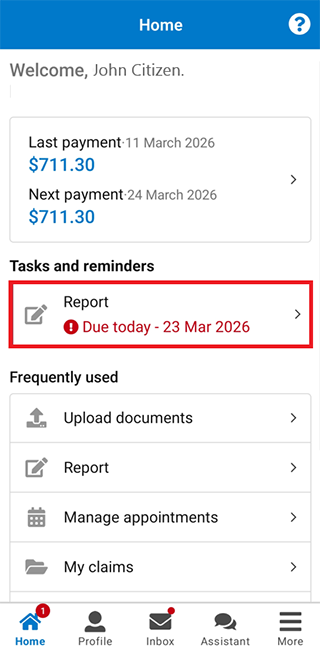
Select Start.
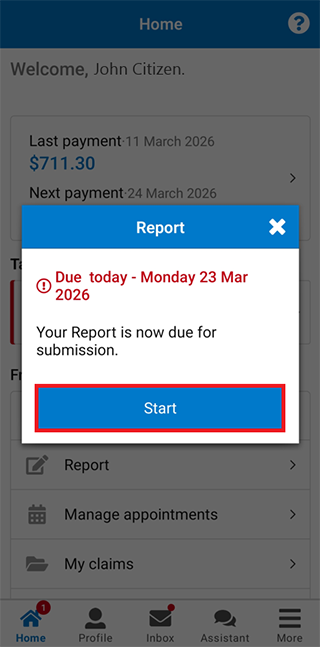
Step 2: report zero employment income
Select Got it to continue.
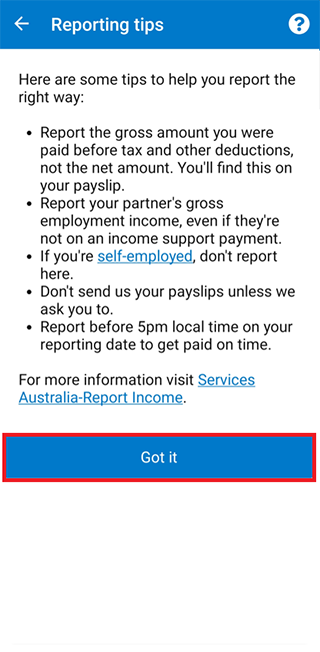
If you or your partner did earn employment income, there’s a different way to report this to us. For help, follow our guide Express Plus Centrelink mobile app help - Report employment income.
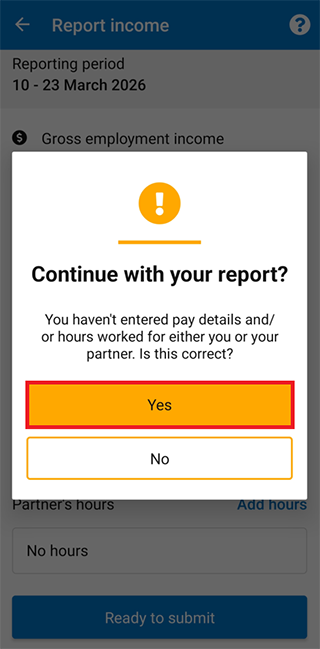
If you or your partner didn’t earn employment income, select Ready to submit.
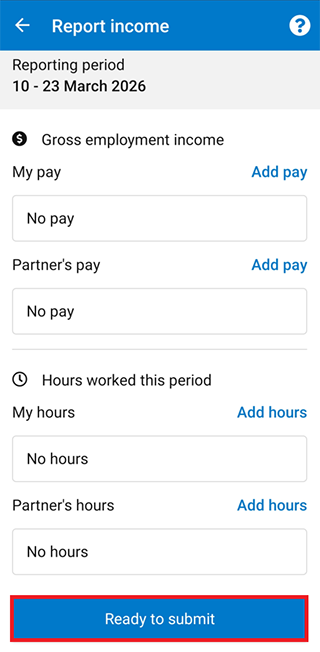
Select Yes to continue.
Step 3: Job Plan requirements
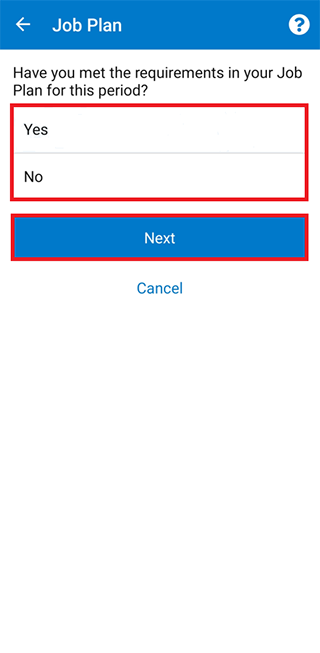
If you’re a job seeker managed by Centrelink, we’ll ask if you’ve met your Job Plan requirements for the reporting period.
Select Yes or No to tell us if you met your Job Plan requirements.
Then select Next.
Step 4: review and submit
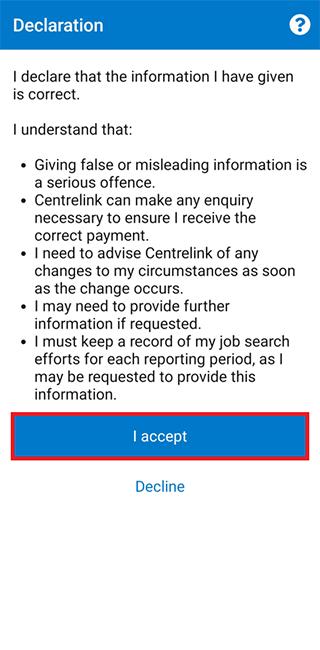
Read the declaration. If you understand and agree with the declaration, select I accept.
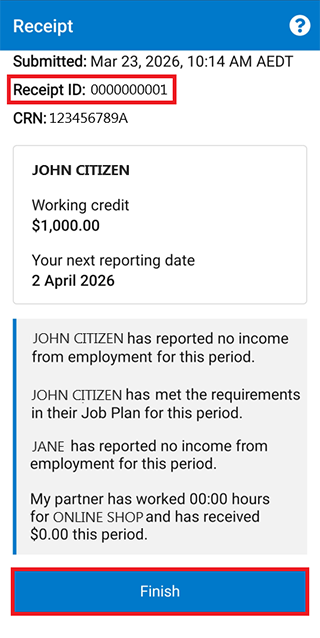
We’ll give you a receipt when you submit your report.
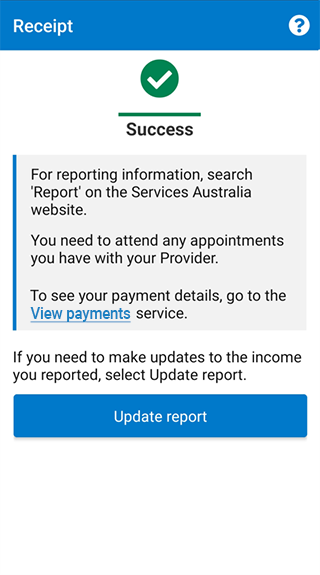
Move down the screen to view more receipt details. Make a note of the Receipt ID for your records.
Select Finish to go back to your home screen.
Step 5: sign out
For your privacy and security, sign out when you’ve finished using the app.
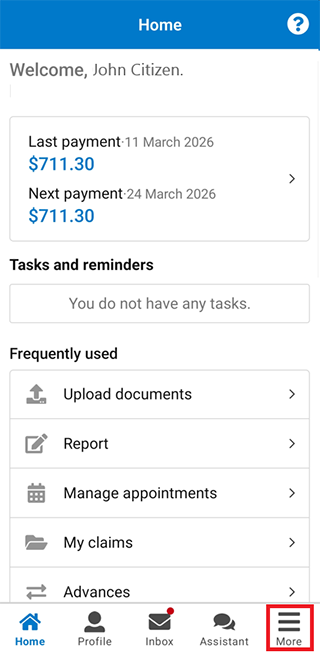
To sign out, select More.
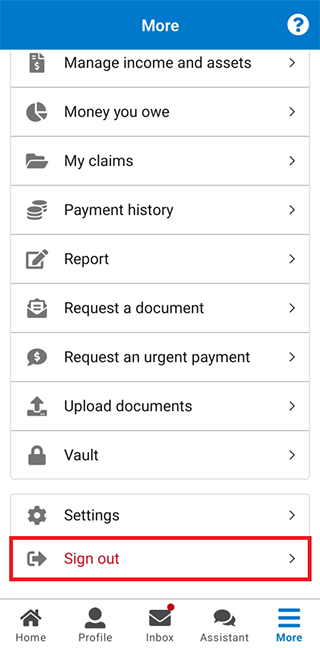
Then select Sign out.
View other online account and Express Plus mobile app guides and video demonstrations about using your online account.